Podcast Link in Bio, Upgraded: Turning Casual Listeners into Subscribers, Reviewers, and Clients with Liinks


Your podcast is great.
Your link in bio? Possibly… not.
If people are listening to your show, DM’ing you episode ideas, and quoting your jokes back to you—but your downloads, reviews, and offers aren’t growing—it’s not because your content is bad.
It’s because the handoff is broken.
Listeners hear you say, “Link in the show notes!” or “Hit the link in my bio!”… and then land on a page that makes them work way too hard to figure out what to do next.
That’s where Liinks comes in. When your link in bio is fast to set up, easy to update, and actually looks good, it stops being a glorified bookmark and starts behaving like a podcast growth engine.
This guide is all about turning that tiny page into the place where casual listeners quietly become:
- Loyal subscribers
- 5-star reviewers
- Email list members
- Clients and customers
Let’s rebuild your podcast link in bio like it’s part of the show—not an afterthought.
Why Your Podcast Link in Bio Matters Way More Than You Think
Most podcasters obsess over:
- Mics and mixers
- Hooks and headlines
- Cover art and trailers
All great. But the moment someone taps your bio link (or the link in your show notes), they’re telling you, “I’m interested enough to do extra work.”
That person is:
- More likely to subscribe instead of casually streaming
- Way more likely to review (they’re clearly engaged)
- Exactly the kind of human who might join your list, buy your product, or book a call
If that warm, curious human lands on a messy, generic link list, you’re leaking:
- Subscribers who can’t find their preferred platform
- Reviews from people who would have left one if you’d made it obvious
- Revenue from listeners who had buyer energy and nowhere clear to put it
Your link in bio is not a side character. For a podcast, it’s basically your mini website, sales page, and onboarding flow all in one.
Step 1: Decide the One Big Job of Your Podcast Liinks Page
Before you start dragging buttons around, decide: What is the #1 outcome you want from your listeners right now?
Some common options:
- Grow the show
- Primary goal: more subscribers + more reviews
- Grow the list
- Primary goal: email subscribers so you’re not at the mercy of algorithms
- Grow the business
- Primary goal: discovery calls, client inquiries, or product sales
You can absolutely do all three over time—but your page will convert better if you pick a primary focus for this season of your show.
Think of your Liinks page as a smart menu:
- The special of the day at the top (your current focus)
- A few house favorites underneath (supporting actions)
- The full menu further down for people who want to browse
If you’re not sure what to prioritize, check your current behavior:
- Are you saying “rate and review the show” in every outro? Make that the star.
- Are you mentioning a lead magnet or newsletter multiple times? Feature that.
- Are you booked out with clients but trying to grow downloads? Push platform links.
Want help picking a focus based on your broader brand and offers? Our post on high-intent traffic, “The High-Intent Link in Bio: How to Attract People Who Are Ready to Buy (Not Just Browse)”, breaks this down in more detail. Read it here.
Step 2: Build a Listener-Friendly Layout (No Scavenger Hunts)
Let’s turn your Liinks page into a layout that makes sense to actual humans who just finished an episode.
Your Above-the-Fold Stack
When someone taps your link, the top of the page should answer three questions in under three seconds:
- “Is this the right place?”
- “What’s the main thing you want me to do?”
- “Where do I listen / support / work with you?”
A simple, effective stack:
-
Show Identity Block
- Podcast cover art or a branded header image
- Short tagline: “Weekly deep dives on creator business and chill.”
- One-line social proof if you have it: “Top 50 in Business > Marketing” or “Over 100k downloads.”
-
Primary CTA Button (big, bold, and obvious)
Examples:- “Listen & Subscribe to the Podcast” → smart link or page with platform buttons
- “Start Here: Binge the Top 5 Episodes” → curated playlist or page
- “Join the Podcast Insider List” → email opt-in
-
Platform Buttons (Grouped, Not Scattered)
Right under your main CTA, add a tight row or mini-section:- Apple Podcasts
- Spotify
- YouTube / video version (if you have it)
- “Other players” link if needed
On Liinks, you can keep these visually consistent (icons, colors, or labels) so people instantly recognize their platform.

Step 3: Turn Casual Listeners into Subscribers
A “listener” is someone who presses play.
A subscriber is someone who lets you into their routine.
Your job: make subscribing the default, easiest possible action.
1. Make the Subscribe Path Obvious
On your Liinks page:
- Put “Listen & Subscribe” as your first or second button.
- Use platform-specific microcopy so people know what to expect:
- “Subscribe on Apple Podcasts”
- “Follow on Spotify”
- “Watch & subscribe on YouTube”
Inside that destination (Apple/Spotify/YouTube), the subscribe/follow button is already prominent. Your job is just to get them there with intent.
2. Curate a “Start Here” Experience
Most people don’t want Episode 1 of your slightly chaotic origin story. They want your best stuff.
Create a simple “Start Here” section on Liinks with:
- Top 3–5 episodes for new listeners
- Short descriptions written like benefits, not summaries:
- “How to land your first client from your podcast (without cold DMs)”
- “The 3-part content system I use to never run out of episode ideas”
You can even group these using content buckets—a strategy we walk through in “Stop Guessing, Start Grouping: How to Use Content Buckets to Organize Your Liinks Page (So People Actually Find Stuff)”. Check that out if your page already feels crowded.
3. Match Your On-Air CTAs to Your Layout
If your outro says, “Tap the link in my bio and hit ‘Start Here’ to binge the top episodes,” but your page doesn’t actually have a Start Here section… people get lost.
Audit your episodes:
-
Write down the CTAs you say most often:
- “Rate and review the show”
- “Grab the free guide”
- “Join the newsletter”
- “Book a strategy session”
-
Make sure each one has a matching, clearly labeled button on your Liinks page.
-
Put the most-mentioned CTAs higher up. If you say it every week, it shouldn’t be buried.
Step 4: Make Reviews Ridiculously Easy to Leave
You know how you mean to leave reviews for your favorite shows… and then forget? Your listeners are the same.
Your job is to:
- Remove friction
- Remove decision-making
- Remove the need to “remember later”
1. Create a Dedicated “Leave a Review” Button
On your Liinks page, add a button near the top:
- “Leave a 5-Star Review (Takes 60 Seconds)”
Link it to:
- Your Apple Podcasts review page (where reviews matter most for ranking)
- Or a simple landing page that explains how to review on different platforms if your audience is mixed
2. Give People a Script
In your show and on your page, lower the mental load by telling them what to say.
On the page, under the button, add a small line of text like:
“Not sure what to write? Share your favorite episode and who you’d recommend the show to.”
On-air, you might say:
“If this episode helped, tap the link in my bio and hit ‘Leave a 5-Star Review.’ Tell me your favorite takeaway and who you think needs this show.”
3. Reward & Showcase Reviews
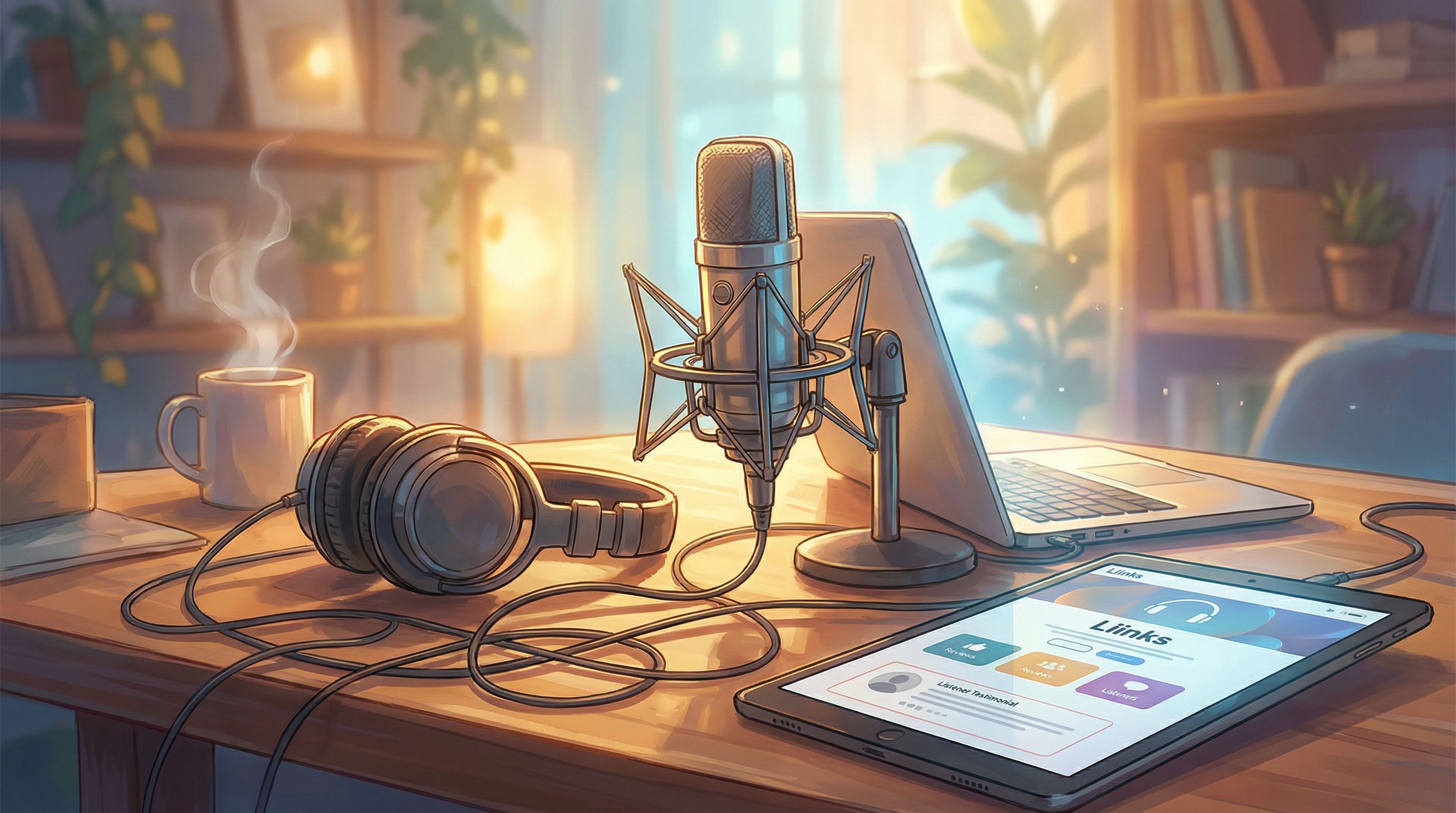
Use your Liinks page as a mini wall of love:
- Add a small section featuring 2–3 standout reviews (screenshots or pull quotes)
- Link that section to your review button
Now your review CTA has social proof baked in.
Step 5: Turn Listeners into Subscribers (the Email Kind)
Podcast subscribers are great. Email subscribers are insurance.
If you want your show to drive long-term revenue, you need a path from:
listener → email list → buyer
Your Liinks page is the perfect bridge.
1. Offer a Podcast-Specific Freebie
Instead of a random lead magnet, create one that feels like a natural extension of your show:
- Checklist that goes with a popular episode
- Notion template based on a framework you teach
- PDF of scripts, questions, or prompts you mention on air
Then, on your Liinks page:
- Feature it as: “Podcast Listener Freebie: [Name]”
- Clarify the benefit in one line: “Get the exact template I use in Episode 37 to plan a month of content in 90 minutes.”
2. Make the Freebie Easy to Reference On-Air
You want to be able to say:
“Grab the free client onboarding checklist I mentioned—just hit the link in my bio and tap ‘Podcast Listener Freebie.’”
So make sure that exact phrase appears on your page.
3. Use Your Layout to Support Quiet Launches
If you’re testing new offers with your podcast audience (workshops, memberships, mini-courses), your Liinks page can double as a quiet launch lab.
You can:
- Add a simple button like “Early Access: Podcast-Only Workshop”
- Track clicks and sign-ups before you build a full funnel
For a deeper dive into this style of low-pressure testing, check out “The ‘Quiet Launch’ Playbook: Using Liinks to Test New Offers Before You Announce Them Anywhere.” It pairs perfectly with podcast experiments.
Step 6: Turn Listeners into Clients and Customers (Without Feeling Salesy)
If your podcast supports a business—coaching, consulting, services, products—your link in bio is where interest becomes income.
You don’t need a 47-step funnel. You need:
- Clear offers
- Obvious next steps
- Copy that sounds like you, not a brochure
1. Create a “Work With Me” Cluster
On your Liinks page, group your money-making actions together:
- “Work With Me: 1:1 Strategy Sessions”
- “Done-For-You Services”
- “Shop My Templates & Courses”
Keep this cluster above the random stuff (old freebies, personal links, etc.).
2. Connect Specific Episodes to Specific Offers
If Episode 52 is about pricing your services, and you offer a pricing audit… connect the dots.
On your Liinks page:
- Add: “From Episode 52: Get a Pricing Audit”
- Brief description: “Loved the pricing episode? Book a 1:1 audit where we apply it to your actual offers.”
On-air, say:
“If you want help applying this to your own business, tap the link in my bio and hit ‘From Episode 52: Get a Pricing Audit.’”
Now your link in bio feels like a natural extension of the episode, not a random sales pitch.
3. Use Your Page as a Live Case Study for Brand Deals
If you’re courting sponsors, your Liinks page can double as proof that you know how to move listeners from hearing about something to clicking on it.
By featuring sponsor links, UTM-tagged buttons, and clear CTAs, you’re building a live case study. We go deeper on that approach in “The Brand Deal Pre-Game: Turn Your Liinks Page into a Live Case Study That Makes Sponsors Say ‘Yes’ Faster.” Worth a read if you’re pitching brands from your podcast.
Step 7: Make It All Look and Feel Like Your Show
If your podcast is cozy and conversational but your link in bio looks like a corporate dashboard, there’s a vibe problem.
Use Liinks to:
- Match your brand colors to your cover art
- Use section headers that sound like you:
- “Start Listening Here” instead of “Episodes”
- “For Serious Fans Only” instead of “Newsletter”
- “Work With Me IRL” instead of “Services”
- Add icons or emojis sparingly to guide the eye:
- 🎧 for listening
- ⭐ for reviews
- 📩 for email list
- 💼 for client offers
If you want a deeper design-focused walkthrough, our post “The ‘Link in Bio’ Style Guide: How to Make Your Liinks Page Look Like Your Instagram, TikTok, and Website Had a Baby” is basically a mood board in article form.
Quick Recap: Your Podcast Link in Bio, Upgraded
Let’s pull this together so you can tweak your page in one focused sprint.
Your goals:
- Turn listeners → subscribers by making platform links and “Start Here” episodes obvious.
- Turn listeners → reviewers by giving them a clear review button, a script, and social proof.
- Turn listeners → clients/customers by clustering your offers and tying them to specific episodes.
Your Liinks layout checklist:
- Clear show identity at the top (cover art, tagline, social proof)
- One primary CTA (Listen, Start Here, or Join the List)
- Tight group of listening platform buttons
- “Start Here” or “Top Episodes” section with benefit-driven descriptions
- Prominent “Leave a 5-Star Review” button with a one-line prompt
- Podcast-specific freebie for email list growth
- “Work With Me” cluster tied to episodes where you already sell
- Design that actually matches your show’s personality
You don’t need to rebuild your whole web presence to grow your podcast. You just need the tiny page everyone taps to finally pull its weight.
Your Next Step (Yes, This Is Your Homework)
You’ve already done the hardest part: you’re making a podcast consistently. Updating a single link in bio is the easy win.
Here’s your simple, one-sitting plan:
- Open your current Liinks page (or create one if you haven’t yet).
- Pick your primary goal for the next 90 days: more listeners, more reviews, more clients, or more email subscribers.
- Rebuild the top half of your page to match that goal using the checklist above.
- Record or update your outro on the next episode to match your new layout.
By this time tomorrow, your podcast link in bio can go from “random list of stuff” to a clean, on-brand growth engine that quietly upgrades every listener interaction.
Open up Liinks, give your page a 20-minute makeover, and let your bio link finally work as hard as your episodes do.